![vecnalogo.jpg]](https://kb.vecnahealthcare.com/hs-fs/hubfs/vecnalogo.jpg?height=40&name=vecnalogo.jpg)
Step 1: Log into AWS console
Step 2: Search AWS Management console for ECS
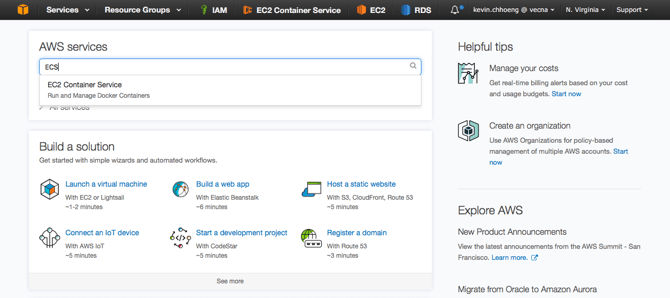
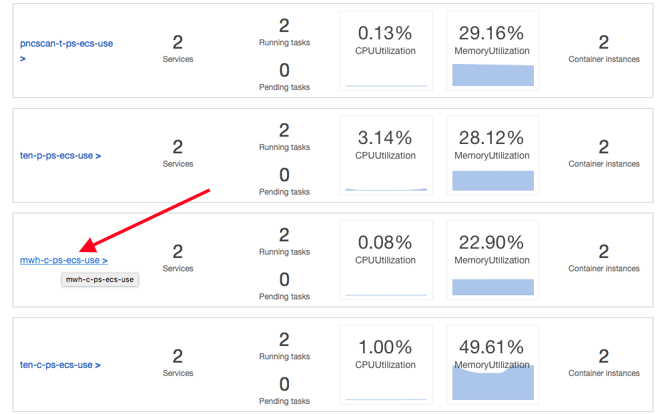
Step 3: Choose the client cluster name to restart tomcat
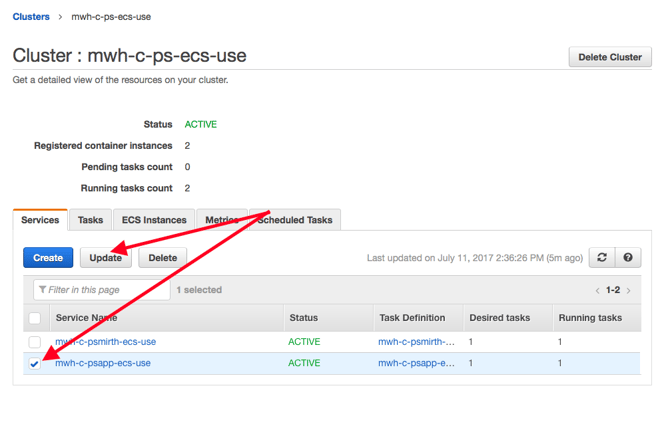
Step 4: The cluster is broken down into two services, one is mirth and the other is application. In this example, you see two services. Services are named according to our standard Vecna naming convention. Services ending in psapp-ecs-use are always considered application services. Each service can run in a single instance or a cluster of instances and each service runs a task and/or tasks. A task is essentially a defined job of containers. In this example this task handles our tomcat container and all other essential containers that make our application work. Because we want to restart tomcat, we will look at psapp-ecs-use service. Put a check box next to this service name so we can update it to bring the task down and bring the task back up. Confused yet? Don't worry, this is very straight forward.
- Check psapp-ecs-use
- Click on Update
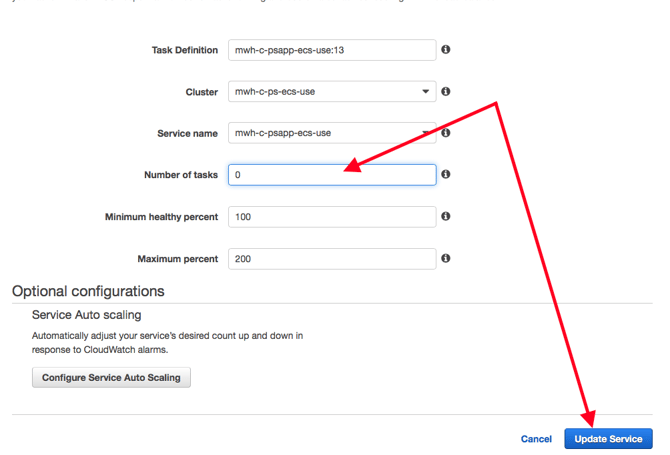
Step: 5 Update service to 0, essentially stopping all containers
- Change Number of tasks to 0
- Click Update Service
Step 6:
Return back to the cluster page where services are defined and wait for Running tasks to be 0 before continuing to the next steps
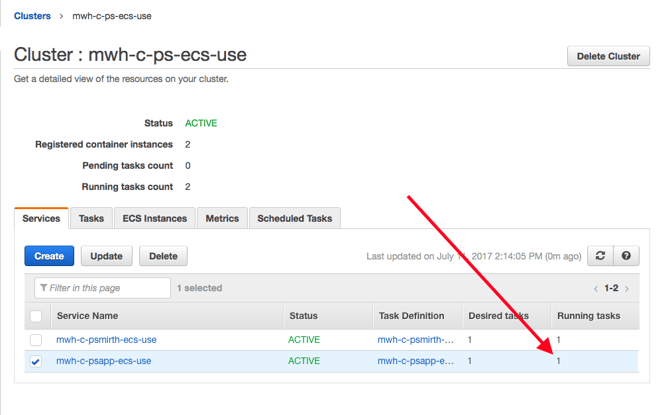
Steps 7:
- Repeat steps 3, 4, 5, but this time change Number of tasks in step 5 to 1
- Return back to cluster page and wait for Desired tasks to be 1
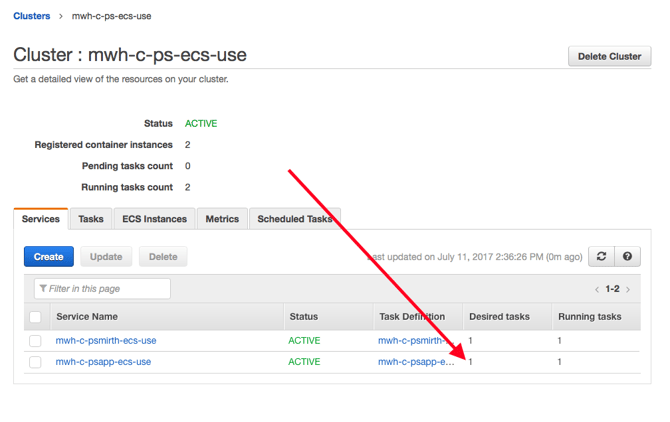
Verify site is back up and working -- send them an email or call them.